Describe or upload
Start with your itinerary, event program or PDF. Blieasy AI helps identify and organize the information in your plan.

Upload your itinerary, event program or PDF. Blieasy uses AI to help you create and update one clear mobile guest guide — opened from a simple link, with schedule, travel details, venues, maps, documents and updates.
Need more? Add registration, guest communication, follow-up and an optional AI assistant.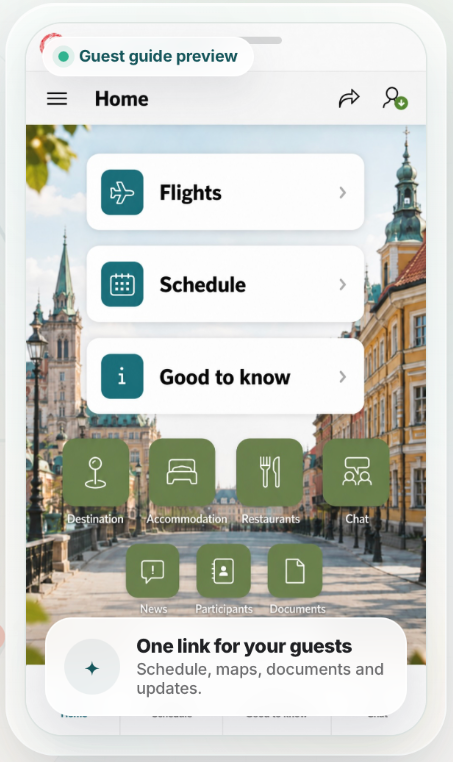
An established solution, used on real trips and events.
FROM PLAN TO GUEST GUIDE
Turn scattered travel details and event documents into one mobile guide your guests can open from a link.
Start with your itinerary, event program or PDF. Blieasy AI helps identify and organize the information in your plan.
Check the content, add your branding and images, and organize the details that matter to your guests.
Share a link to the guide. Keep schedules, documents and updates together as your trip or event develops.
ONE PLACE FOR THE DETAILS
Give guests a clear place to find the information they need before and during their trip or event.
Bring the itinerary, daily agenda and activities together in a mobile guide.
Keep flight details, hotels and destination information close at hand.
Help guests find the places, meeting points and venues in your program.
Keep useful documents and practical information alongside the program.
Use the guide to share updates as plans change, instead of scattering information across messages.
Add registration, guest communication, follow-up and an optional AI assistant.
BUILT AROUND YOUR GUESTS
TRAVEL AGENCIES & GROUP TRIPS
Organize itineraries, flights, hotels and activities in a guide that follows your travelers from preparation to departure.
EVENT ORGANIZERS
Bring the agenda, venue details, documents and updates together for conferences, gatherings and events.
FROM ONE OF OUR CUSTOMERS
Marie MetzBlomgren Travel Group“Such a great layout for the flights — easy to see and read, and it looks great!”Translated from Swedish.
SIMPLE MONTHLY CREDITS
Blieasy uses credits for activities such as building a guide, publishing updates and generating content with AI. Choose a monthly level that fits your usage. Unused credits roll over to the next month.
See credit levels and usageA FEW THINGS TO KNOW
You share a link to the published mobile guide, bringing the schedule, maps, documents and updates together in one place.
Yes. Start with an idea, itinerary, event program or PDF. Blieasy AI helps structure the content into a guide. Uploading and creation take place in the Blieasy app after you continue.
Yes. Review and approve all content before publishing or sharing it. AI-generated content can contain errors or incomplete information.
You can manage your existing guide in Blieasy and publish updates, keeping the guest information together as your plans develop.
Activities use credits, including app creation, publishing, AI tasks and notifications. Unused monthly credits roll over. Visit the Pricing page for the credit levels and typical usage.
Contact Bliva AB at support@bliva.com. For sales questions, visit our Contact page.
YOUR NEXT TRIP OR EVENT
Bring your plans together and give your guests one clear place to start.
Get started with Blieasy